Amazon is taking some inspiration from the TV shows available on its Prime Video streaming platform, and porting it over to Kindle e-readers to keep users up to date on their progress. The feature in question is called Recaps, and as the name suggests, it will offer readers a quick look at the story progress and character development arc so far.
Think of it as the “Previously on” segment at the start of each new episode on a TV show, but in a text format, for digital books. The feature is already available for e-books in the English language for users in the United States, covering purchased as well as borrowed copies.
It’s a phased rollout, however, and might take several weeks to reach users via a software update. For now, it is limited to Kindle devices, but will soon expand to the dedicated iOS app, well.
For books that have recaps ready for viewers, they will show a dedicated “View Recaps” button on the series overview page in library, or buried within the three-dot menu under the same name for each book’s listing.
How Kindle book Recaps work?
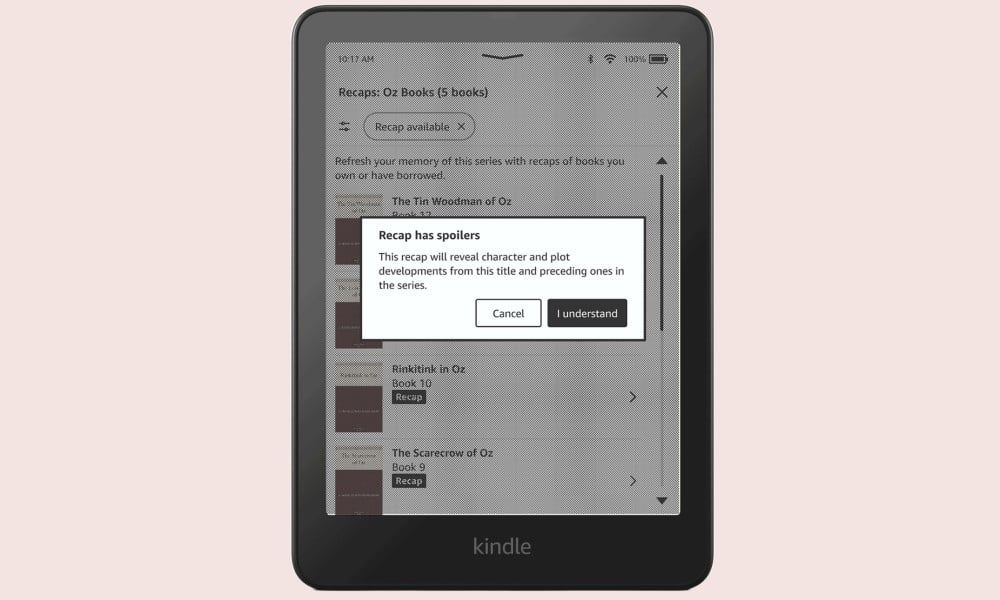
“By adding a new level of convenience to series reading, the Recaps feature enables readers to dive deeper into complex worlds and characters without losing the joy of discovery, all while ensuring an uninterrupted reading experience across every genre,” says the company.
In case you haven’t received the update yet, you can find instructions on manually installing the latest build on Amazon’s support page. The build in question is v5.18.1, and for now, it is available for the 12th, 11th, and 10th gen Kindle Paperwhite, the 10th and 11th gen baseline Kindle, and the 10th Gen Kindle Oasis.
Interestingly, Amazon says it relies on a mix of AI and human efforts to generate book recaps. The company told TechCrunch that recaps will “accurately reflect book content,” which is a bold claim, considering AI’s well-known hallucination problems.
Kindle e-readers recently landed a cool page turn feature, while on the AI side, the company introduced an agentic tool called Nova Act that will autonomously perform browser-based tasks for you, like ordering food or booking appointments. The next-gen Alexa+ assistant, on the other hand, is having a slow start with multiple missing features during early tests.